Connect Slack
Pulls messages sent, channels active in, help replies given, and thread depth, workspace-wide.
Prerequisites
- Slack Workspace Owner role (only owners can install workspace apps)
- A PerfCopilot admin account (the Connect button is only visible to admins)
- The PerfCopilot bot must be invited to any public channels you want analyzed
1. Generate credentials in Slack
Slack uses OAuth, so there are no API tokens to copy. You'll complete the install from inside PerfCopilot.
- Sign in to https://app.perfcopilot.com as an admin.
- Open Integrations, find the Slack card, and click Connect.
📖 Official guide: Creating a Slack app (Quickstart), Slack's own documentation for creating this credential.
- Slack's consent screen opens in a popup. Pick the workspace you want to connect.
- Approve the requested scopes: bot scopes
channels:history,channels:read,users:read, plus the user scopesearch:read(required for response-time / response_stats analysis). You'll be redirected back to PerfCopilot.
Copy these values; you'll paste them in the next step:
- No fields. OAuth handles credentials.
2. Paste into PerfCopilot
-
Open Integrations on your PerfCopilot admin.
-
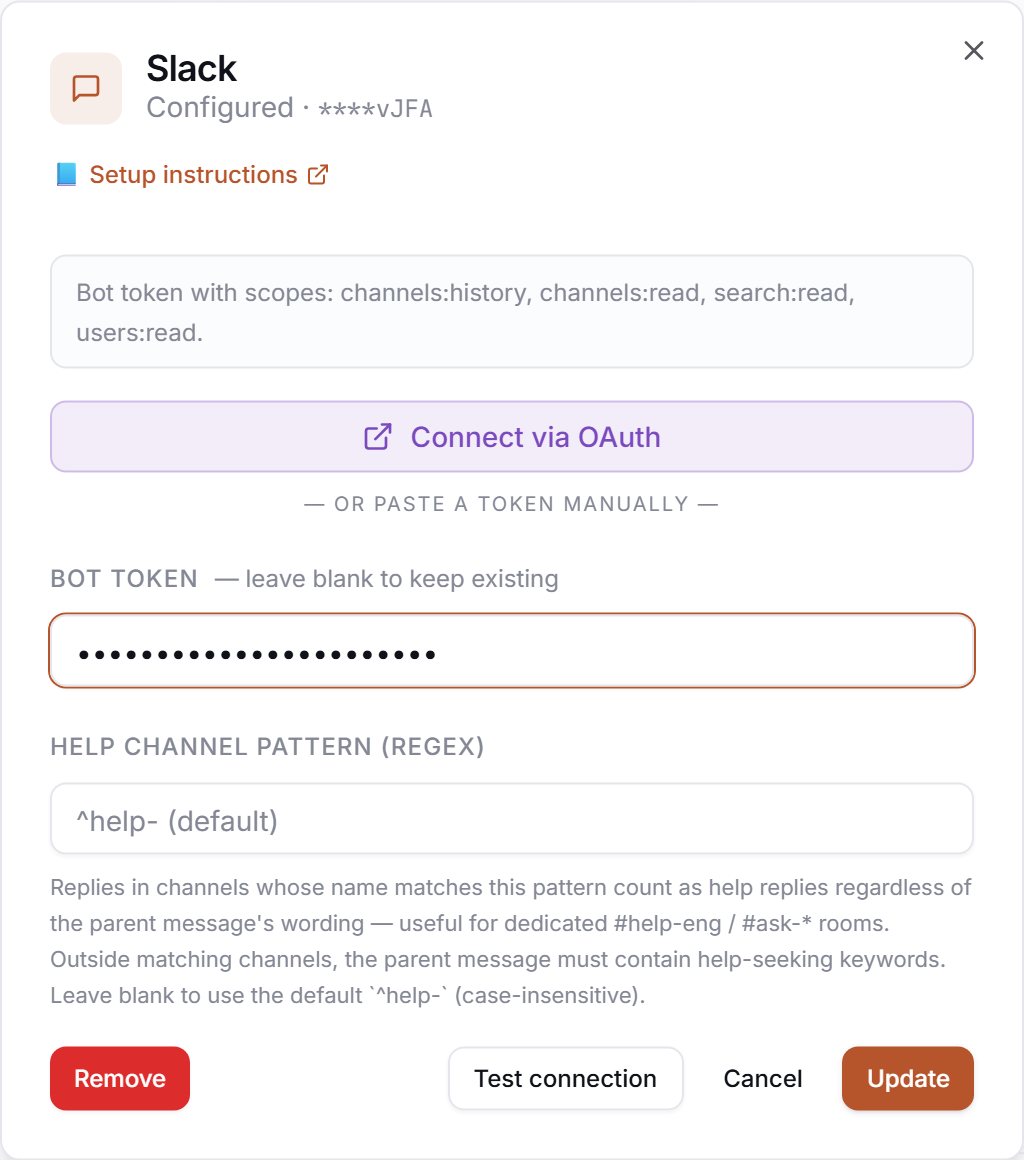
Find the Slack card and click Connect (or Manage if already configured).
-
Paste each value into the matching field:
Field in PerfCopilot Value from step 1 (none) No fields. OAuth handles credentials. -
Click Save.
3. Verify
Click Test in the drawer. Expected:
✅ Authenticated as your-workspace.slack.com
If you see a red error, jump to Common errors.
Common errors
| Message | What it usually means | Fix |
|---|---|---|
Workspace already linked to another org | This Slack workspace is already connected to a different PerfCopilot organization. | Contact support at hello@perfcopilot.com to migrate the workspace. |
HTTP 401: invalid_auth | The OAuth token was revoked from the Slack side. | Re-run the Connect flow to mint a fresh token. |
Bot can't see #general (or any specific channel) | The PerfCopilot bot was never invited to that public channel. | In Slack, run /invite @PerfCopilot from the channel you want analyzed. |
What signals we pull
slack: message counts per employee per channel, channel activity, help replies (replies in threads that started with a question), and thread depth.
Need a feature you don't see? Tell us →.