Connect Jira
Pulls tickets closed, story points, blocker flags, and open assigned work per employee.
Prerequisites
- Atlassian Cloud user with ticket-read permission on the projects you want PerfCopilot to see
- An API token from id.atlassian.com
- A PerfCopilot admin account (the Connect button is only visible to admins)
1. Generate credentials in Jira
- Sign in to https://id.atlassian.com/manage-profile/security/api-tokens.
- Click Create API token and give it a label like "PerfCopilot".
📖 Official guide: Manage API tokens for your Atlassian account: Jira's own documentation for creating this credential.
- Copy the token value (it is only shown once).
- Note your Atlassian base URL (e.g.
https://yourcompany.atlassian.net) and the email address of the account that owns the token.
Copy these values; you'll paste them in the next step:
base_url(e.g.https://yourcompany.atlassian.net)user_email(the account that owns the token)- API token
2. Paste into PerfCopilot
-
Open Integrations on your PerfCopilot admin.
-
Find the Jira card and click Connect (or Manage if already configured).
-
Paste each value into the matching field:
Field in PerfCopilot Value from step 1 Base URL https://yourcompany.atlassian.netUser email your.name@company.comAPI token <your value> -
Click Save.
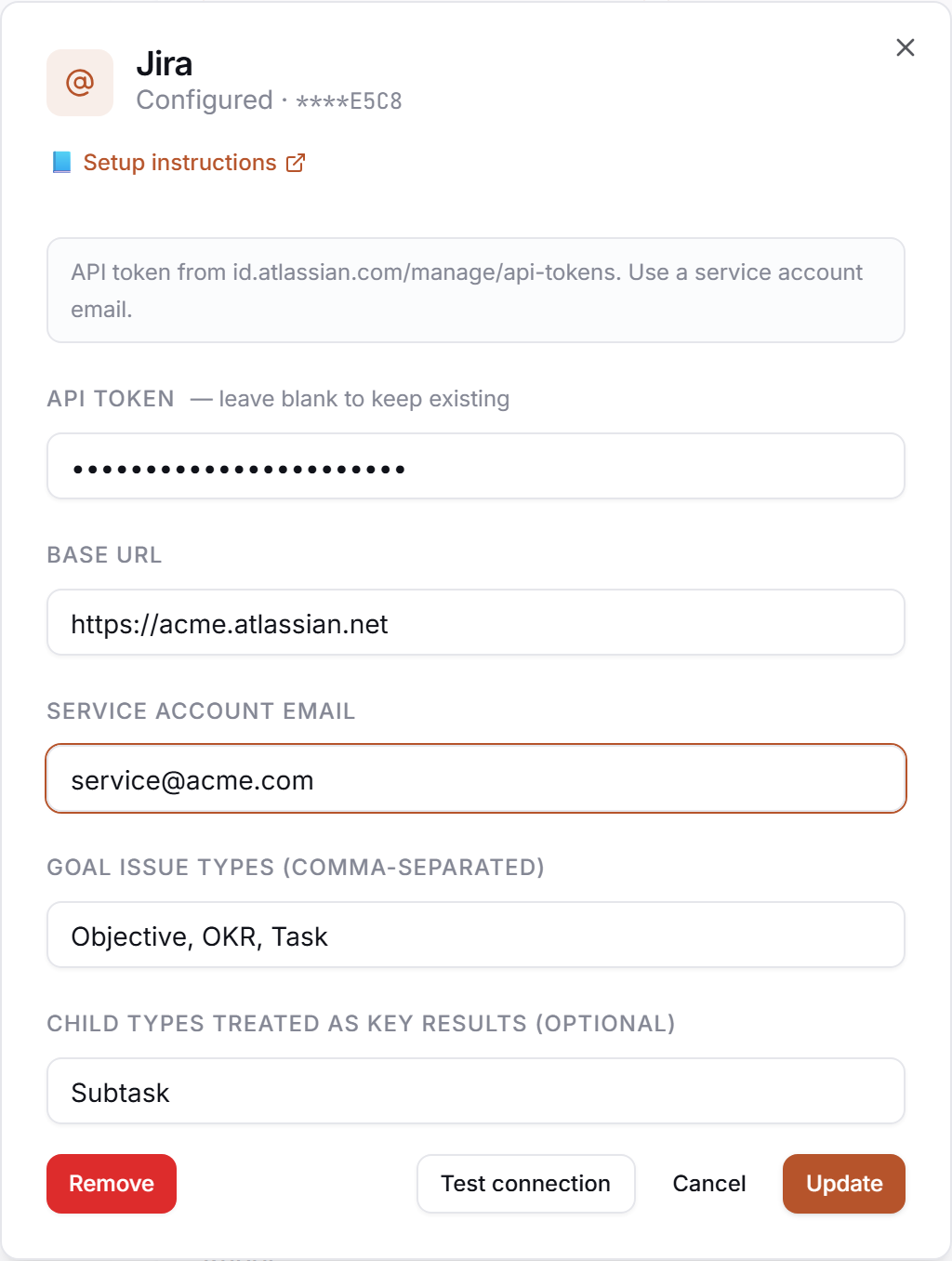
3. Verify
Click Test in the drawer. Expected:
✅ Authenticated as your.name@company.com
If you see a red error, jump to Common errors.
Common errors
| Message | What it usually means | Fix |
|---|---|---|
HTTP 401: Basic auth failed | Token or email is wrong; Atlassian tokens are tied to one account. | Re-generate the token at id.atlassian.com and confirm the email matches that account. |
HTTP 404 on /rest/api/3/myself | base_url is malformed. | The base URL should end in .atlassian.net with no trailing slash (e.g. https://yourcompany.atlassian.net). |
HTTP 401: <body excerpt> | Credentials rejected. | Re-check that you copied the full token, no leading/trailing whitespace. |
What signals we pull
jira: tickets_closed, story_points, blocker flags, and open assigned work
Need a feature you don't see? Tell us →.